Examples
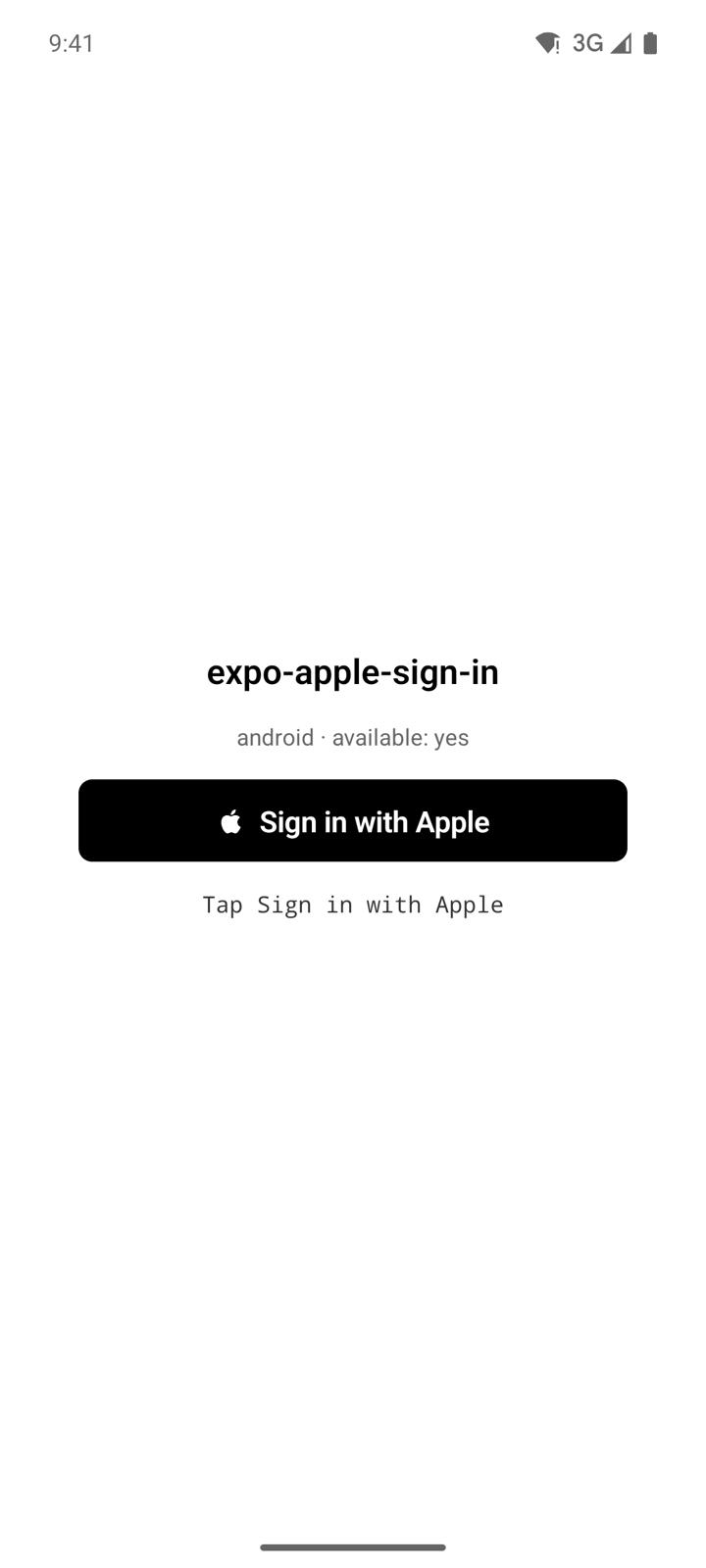
The repository includes an example app in the example folder. It is a single-screen Expo SDK 58 app that installs expo-apple-sign-in from the parent folder (file:..), so it always runs against the library source in the same checkout. The screen shows the platform, the result of AppleAuth.isAvailable(), an AppleButton, and a status line that reports the outcome of each sign-in. The platform line, the button, and the status line carry the test IDs platform-meta, sign-in-button, and status-message, so end-to-end tests can find them.
What the example shows
On launch, the app configures the library from two environment variables when both are set, checks availability, and subscribes to revocation with AppleAuth.addRevokeListener. The status line starts as Tap Sign in with Apple. Pressing the button runs AppleAuth.signIn() through AppleButton:
- A successful sign-in shows the user id, the email and the first characters of the identity token.
- A dismissed sheet or popup shows
Canceled, throughonCancel. - Any other failure shows the error message, through
onError. - On iOS, when Apple revokes the credential while the app runs, the status line shows
Apple revoked the credential.
The app uses the black button style, the signIn label, and a button that stretches across the screen up to a width of 320.
Run the example
Install the library's dependencies at the repository root, then the example's own dependencies:
npm install
cd example
npm install
Then start the platform you want to test:
| Script | Command | What it does |
|---|---|---|
npm run ios | expo run:ios | Builds the development client and runs it on an iOS simulator or device. |
npm run android | expo run:android | Builds the development client and runs it on an Android emulator or device. |
npm run web | expo start --web --port 43180 --host lan | Serves the web app on port 43180. |
npm run start | expo start | Starts the Expo dev server. |
iOS and Android need a development build because Expo Go cannot load the native module. Web needs no native build.
Configure Android and web
Android and web need a Services ID and an HTTPS Return URL. The example reads them from EXPO_PUBLIC_APPLE_SERVICE_ID and EXPO_PUBLIC_APPLE_REDIRECT_URI, either exported in the shell or written to example/.env, which the example's .gitignore excludes:
EXPO_PUBLIC_APPLE_SERVICE_ID=com.example.app.web
EXPO_PUBLIC_APPLE_REDIRECT_URI=https://app.example.com/auth/callback
Without them, the example skips AppleAuth.configure, and sign-in on Android and web fails with ERR_NOT_CONFIGURED. iOS works without either value. Because Apple rejects localhost, a web sign-in needs the example served from an HTTPS host that matches the Return URL, as described in Web.
The example's bundle identifier and Android package are com.example.expoapplesignin. To sign in on iOS, change ios.bundleIdentifier in example/app.json to an App ID in your team that has Sign in with Apple enabled, then rebuild.
Screenshots